Preview and upgrade
Nothing is written until you have seen the diff. You can upgrade one file at a time or the whole workspace.
One file
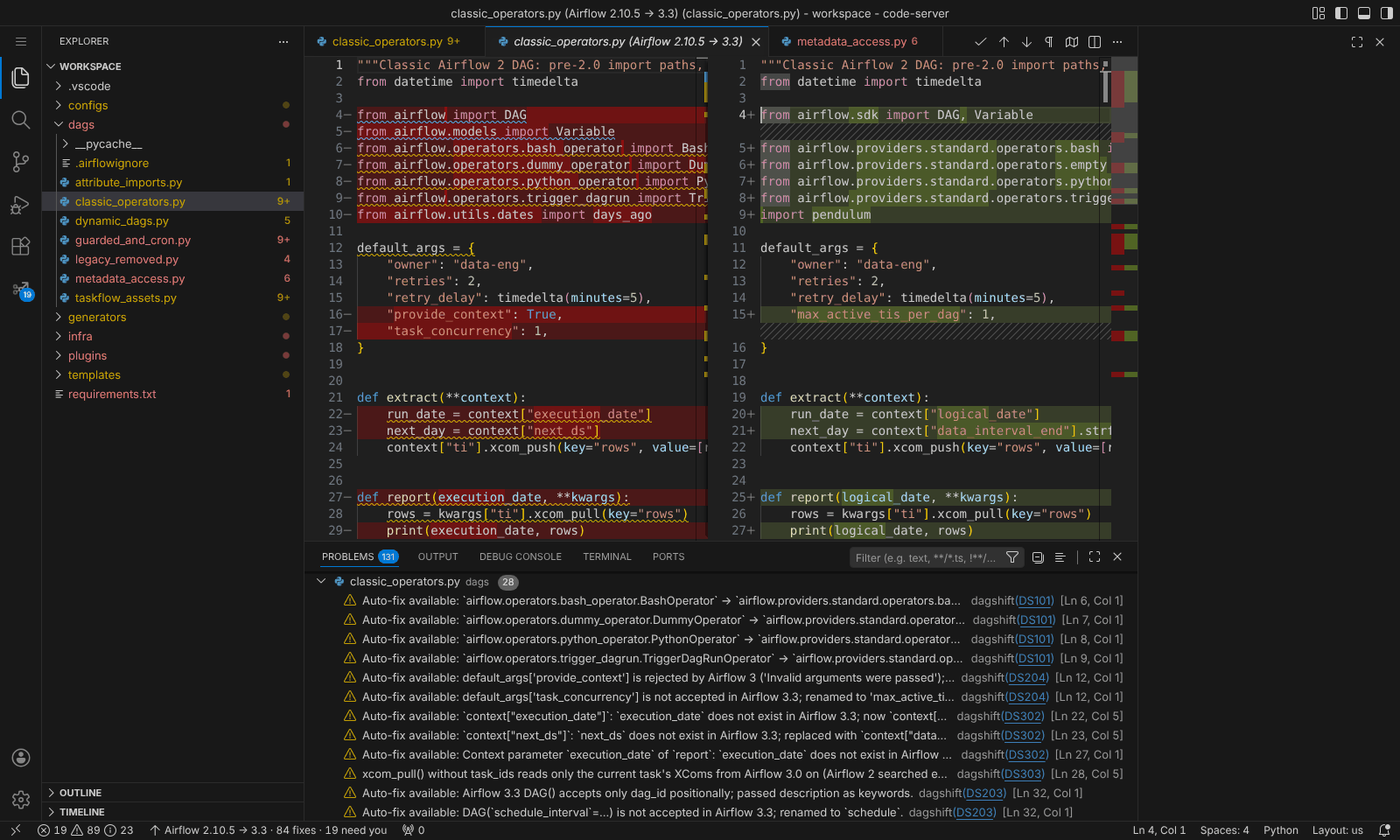
Select Preview in the CodeLens at the top of the file, or run dagshift: Preview Upgrade Changes. The diff opens side by side; Apply These Changes in the editor title writes it into the file. Undo works as usual.
The whole workspace or one folder
Run dagshift: Upgrade Workspace..., or right-click a folder in the Explorer and select Upgrade Folder.... dagshift asks where the upgraded files should go.
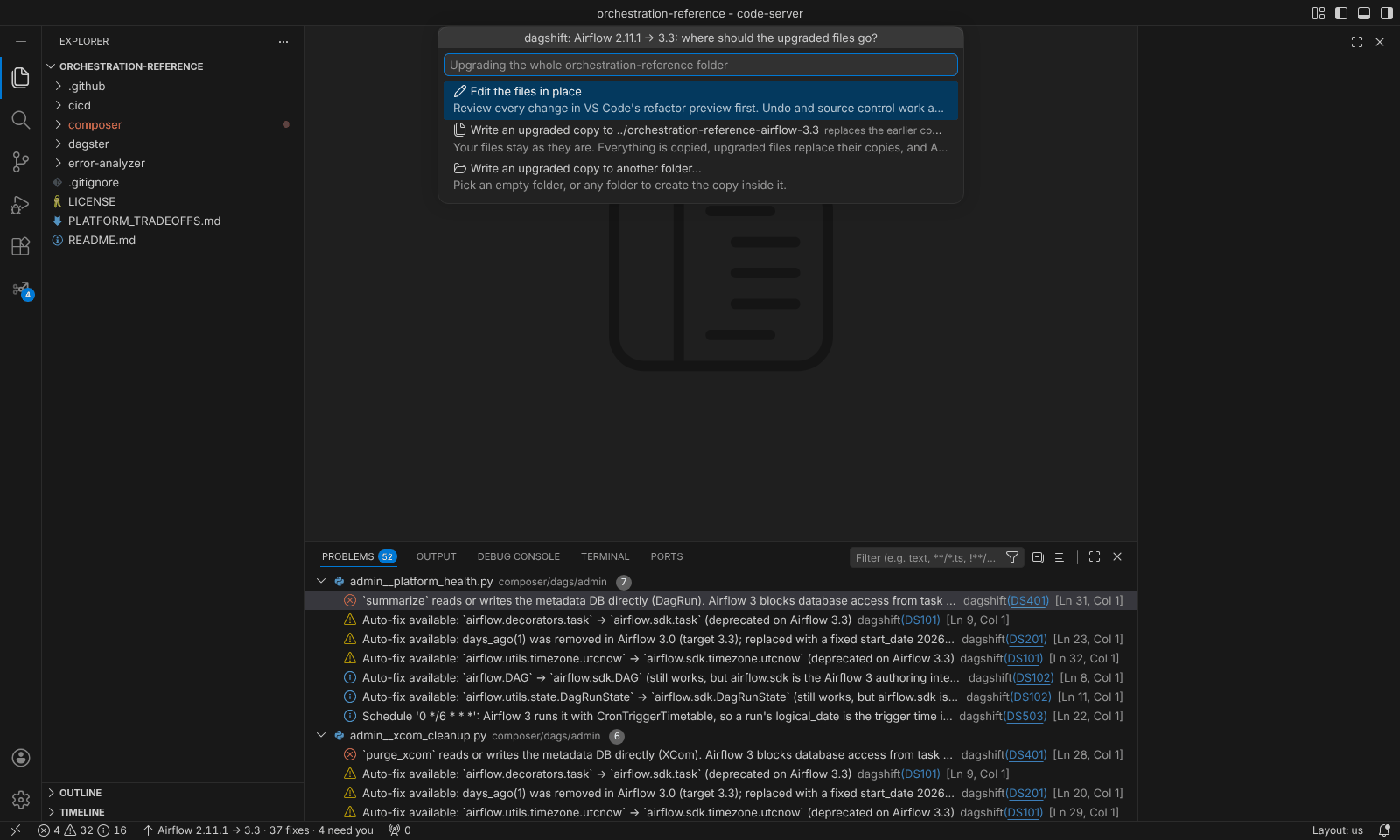
Every change goes through VS Code's refactor preview. Untick any file you want to leave alone, then
select Apply. Undo and source control work as usual, so the result is an ordinary diff to commit.
The preview also offers AIRFLOW_UPGRADE_REPORT.md, unticked by default.
Use this when the upgrade happens on a branch of the same repository.
Your files stay untouched. The upgraded project is written next to it, as
../my-dags-airflow-3.3 by default, or to a folder you pick. The copy contains every file (unchanged
ones included) and AIRFLOW_UPGRADE_REPORT.md, which lists what still needs you.
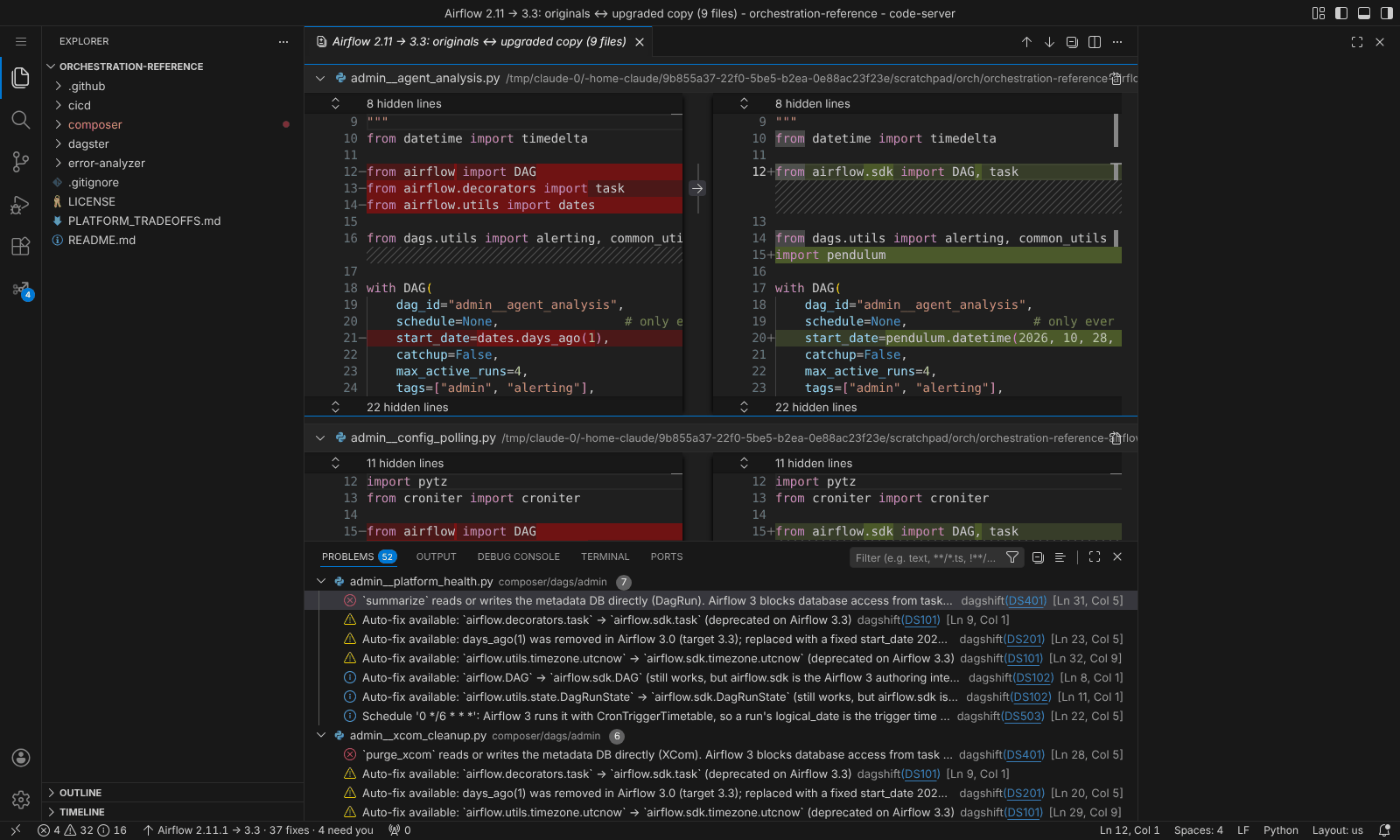
Compare Changes opens every changed file in one multi-file diff view. You can also run dagshift: Compare Upgraded Copy with Originals later.
Use this when Airflow 2 and 3 run side by side during cutover, as on Cloud Composer.
Copies are never scanned twice
Every copy is marked with a .dagshift-upgrade.json file. Scans skip folders that contain it, even when
the copy sits inside the project, and only a folder with that marker can be replaced by a later copy.
Always the same answer
Set dagshift.upgrade.output to inPlace or folder to stop the question. Change where copies go with
dagshift.upgrade.outputFolder; it understands ${folderName}, ${target} and ${source}:
{
  "dagshift.upgrade.output": "folder",
  "dagshift.upgrade.outputFolder": "../upgraded/${folderName}-${target}"
}
Fix on save
To apply safe fixes every time you save a file:
Choices that change the output
A few rewrites depend on how you want to handle Airflow behaviour changes. The defaults keep Airflow 2 behaviour wherever a rewrite can.
days_ago(n)→ fixed date- Becomes the date it returned on the day you upgrade. Set
dagshift.startDate(YYYY-MM-DD) to pick the day instead. - DAGs without a
schedule - Airflow 2 ran them daily; Airflow 3 never runs them. When the upgrade crosses into Airflow 3, dagshift adds
schedule=timedelta(days=1). Turn this off withdagshift.preserveScheduleDefault. - Implicit
catchup - Airflow 2 defaulted to
True, Airflow 3 toFalse. Setdagshift.pinCatchupto addcatchup=Truewhere it was implicit. - Cron schedules
- Airflow 3 runs them with
CronTriggerTimetable, which changes whatdsandlogical_datemean. dagshift keeps the cron string and flags files that read those values. Setdagshift.keepCronDataIntervalsto wrap them inCronDataIntervalTimetableinstead. - Deprecated but still working code
dagshift.modernize(on by default) also updates code that still works on the target but has a newer home, such asairflow.sdkimports on 3.x.