Current and target version
Every upgrade has two ends: the current version (what the project runs today) and the target (where
it is going). The rules that fire depend on both, so dagshift shows them together in the status bar:
Airflow 2.10.5 → 3.3. Click it to change either one.
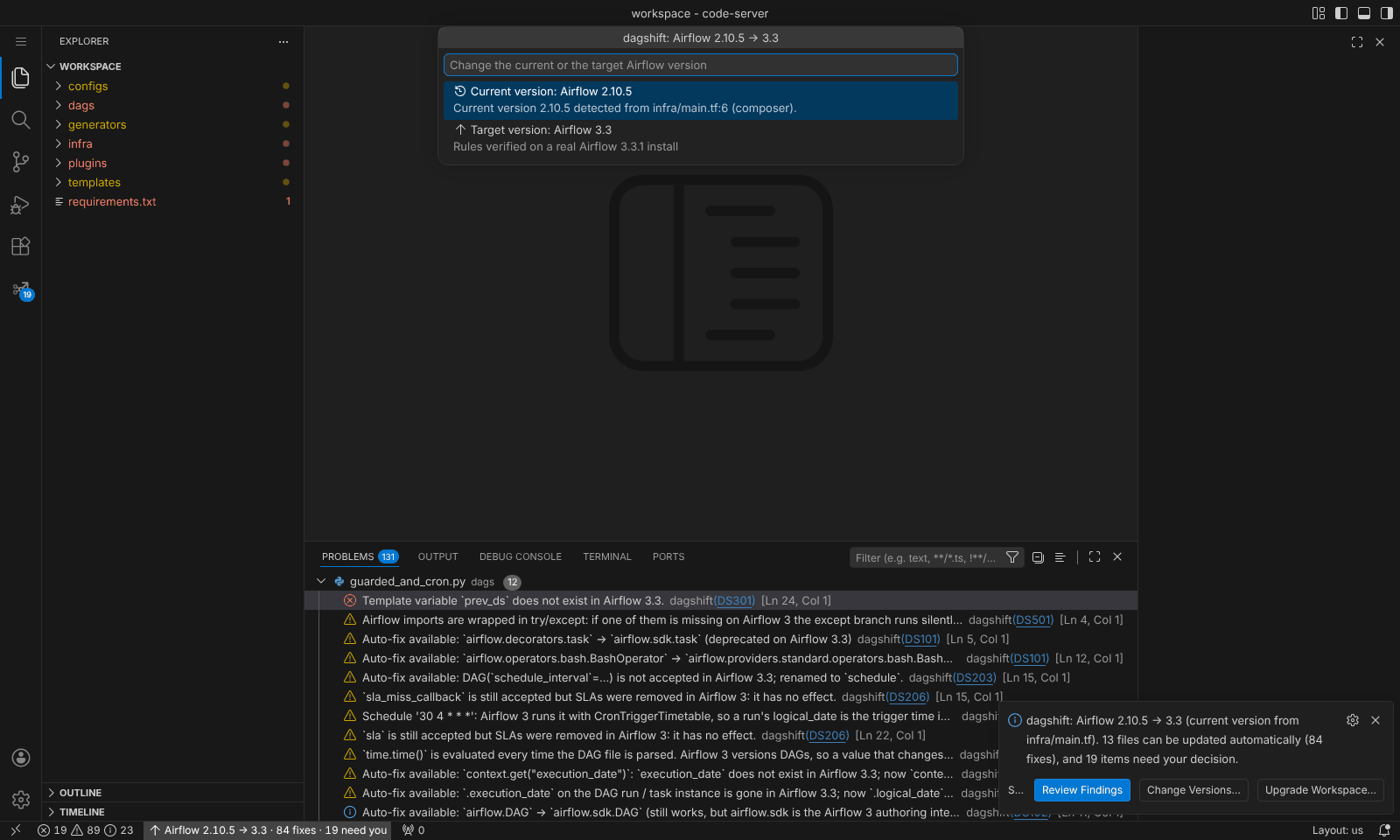
What changes for each kind of upgrade
| Upgrade | What changes |
|---|---|
| 2.x → 2.y | Deprecated import paths, schedule_interval and concurrency, days_ago, deprecated context variables, operator arguments |
| 2.x → 3.y | All of the above, plus moved operators, airflow.sdk, Datasets to Assets, metadata DB access, cron timetable semantics, schedule and catchup defaults, plugins, SLAs |
| 3.x → 3.y | What changed inside Airflow 3, for example airflow.datasets removed in 3.2 and exceptions moving to airflow.sdk.exceptions |
dagshift only upgrades: a target older than the current version is refused.
Target version
Any release from 2.7 to 3.3. Each target has its own rule set, measured on a real install of that Airflow release (2.7.3, 2.8.4, 2.9.3, 2.10.5, 2.11.0, 3.0.6, 3.1.8, 3.2.2, 3.3.1). The default is the newest.
How the current version is detected
dagshift reads these, in order of trust, and shows the evidence it used:
- Cloud Composer
image_version(composer-2.9.7-airflow-2.10.5), Amazon MWAAairflow_version, Astro Runtime images. FROM apache/airflow:...in Dockerfiles and compose files; HelmairflowVersion/defaultAirflowTag.- Constraints URLs and
apache-airflow==,~=or>=x,<ypins in requirements,pyproject.tomland setup files. - When nothing is pinned, the code itself:
airflow.sdkmeans 3.0+,DatasetAlias2.10+,@task.bash2.9+,.expand()2.3+ and so on. This is labelled inferred, because the code only tells the minimum version.
If an inferred version is lower than what you actually run, pick the real one from the list.
Infrastructure in another repository
Large teams often keep the Composer or MWAA definition in a Terraform repository and the DAGs in another.
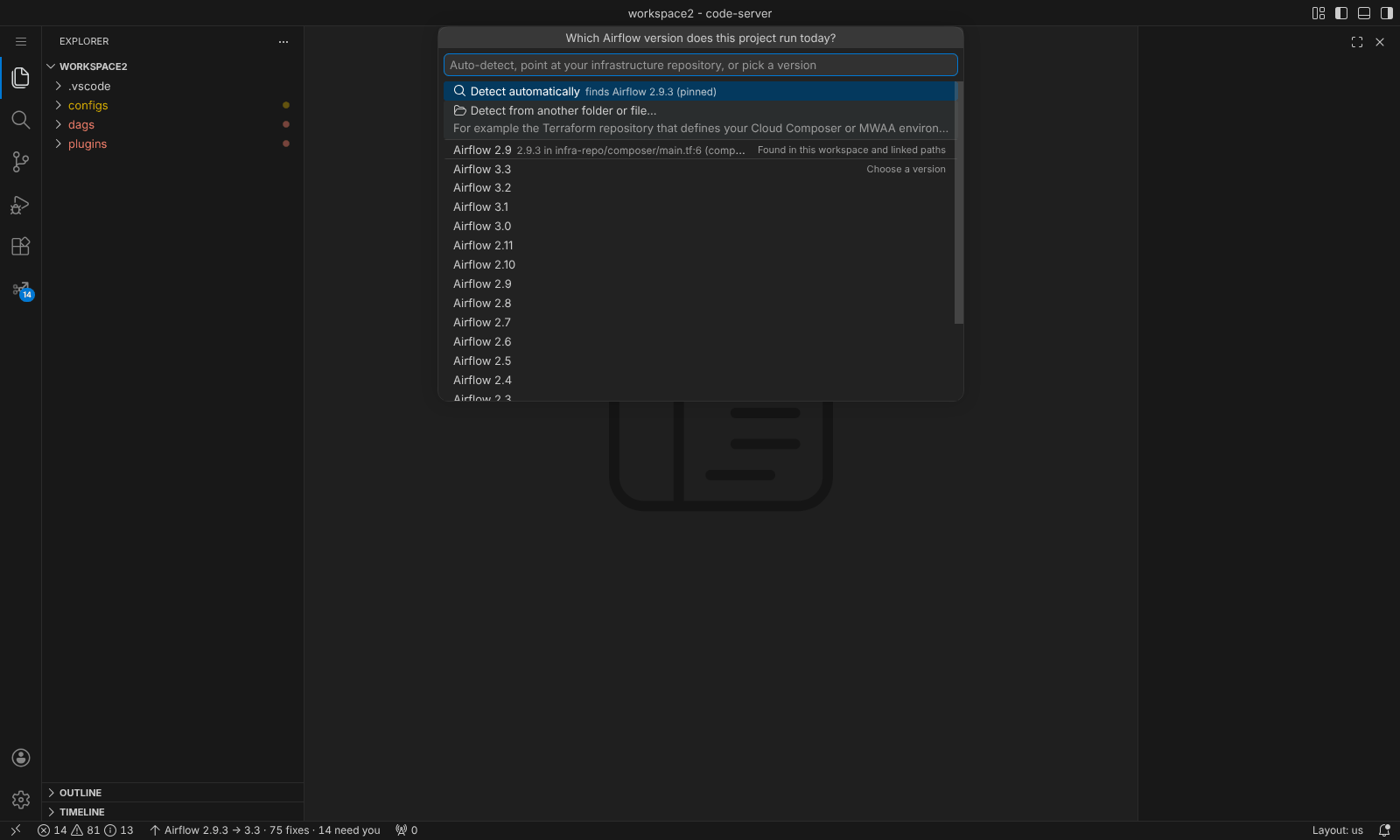
- Click the status bar.
- Choose Current version → Detect from another folder or file...
- Select that repository, or the
.tfvarsfile.
The choice is saved in the workspace setting dagshift.sourcePaths. You can also pick the version directly,
which is saved in dagshift.sourceVersion.
Share the versions with your team
Put both versions in the repository so everyone who opens it sees the same upgrade:
The extension uses these when dagshift.target and dagshift.sourceVersion are not set in VS Code.